
Create pages and forms
Build a website page, place a form on it and find visitor submissions.
Step-by-step instructions
- 01
Create a page
Open Content → Pages and select Create New. Enter the page title in each language your site uses, review the slug, and add the desired content blocks. Save a draft before publishing.
- 02
Create a form
Open Form → Forms and select Create New. Give the form a title, add its fields, set the submit-button label, and choose either a confirmation message or a redirect after submission. Save it.
- 03
Place the form on a page
Return to the Page editor. Add a Form block in the Content layout and select the saved form. Preview the page and check the form in both site languages before publishing.
- 04
Review submissions
After a visitor submits the live form, open Form → Form Submissions to review the response. Add a notification email to the form only if your team needs an inbox copy.
Screenshots and callouts
 1 · Create New
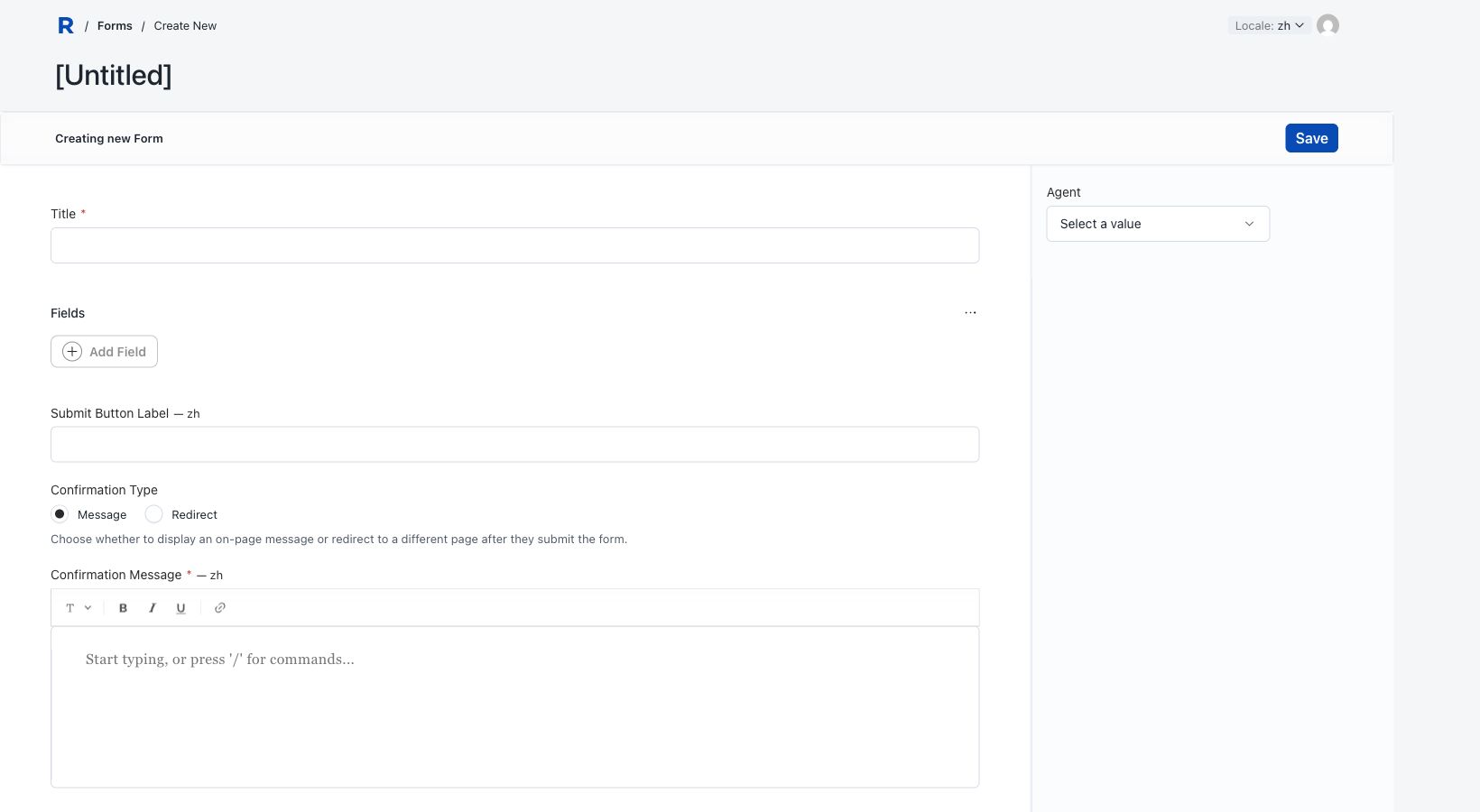 2 · Add fields
Helpful notes
- Test with a non-sensitive sample submission after publishing, then remove that test record if you no longer need it.