
Create your Opei account
Start with email and password or Google, then complete your agent website setup.
Step-by-step instructions
- 01
Open the signup page
Visit dashboard.opei.com/signup. Select EN or 中文 in the upper-right corner before starting.
- 02
Create an account
Enter your email and a password of at least eight characters, or choose Continue with Google. If your email already has an Opei account, sign in to that account instead of creating a duplicate.
- 03
Enter your professional details
Add your first and last name, brokerage, phone, preferred web address and website languages. Check spelling because these details can appear on your site.
- 04
Choose a plan and theme
Review the plan and billing terms shown in the wizard, then pick a theme. You can adjust your website appearance later in the dashboard.
- 05
Set up listing access
Choose the listing options available to you. IDX and VOW features require the applicable board agreements and activation; you can finish this after signup.
- 06
Finish and sign in
Complete the final signup instructions, then open the dashboard to edit your site. Check your inbox if verification is requested.
Screenshots and callouts
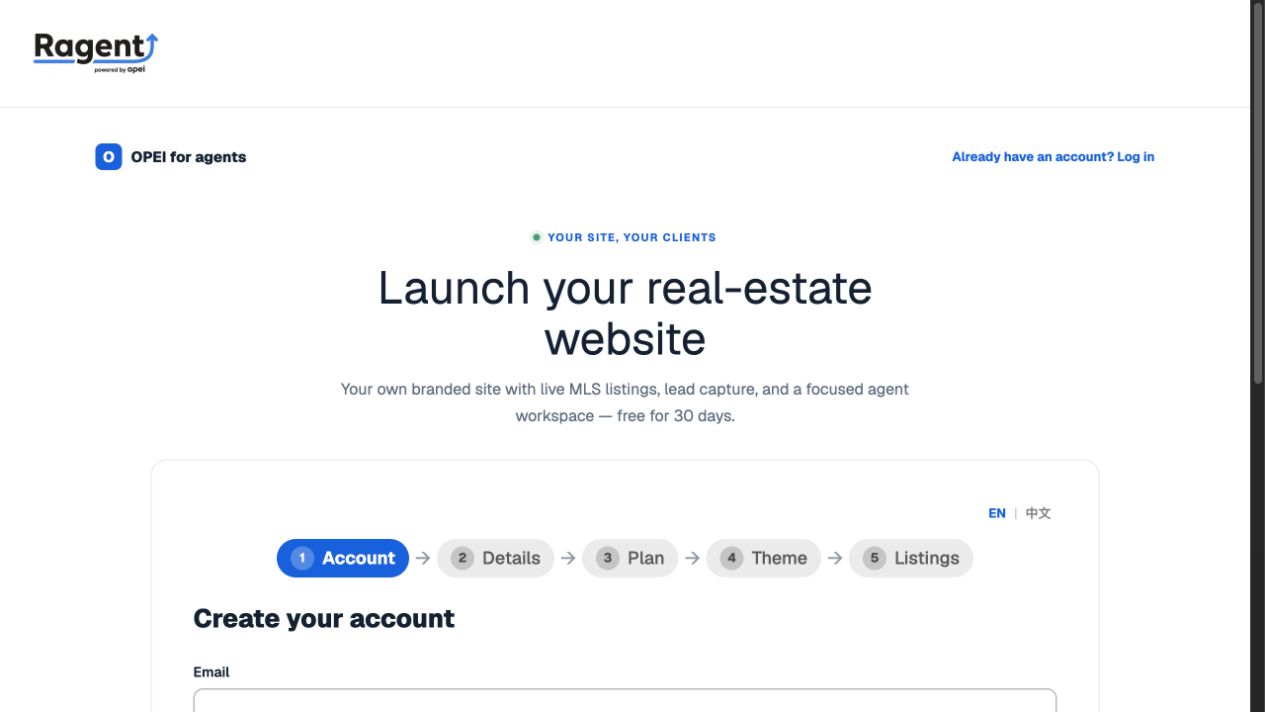 1 · Choose a language2 · Follow the five stages
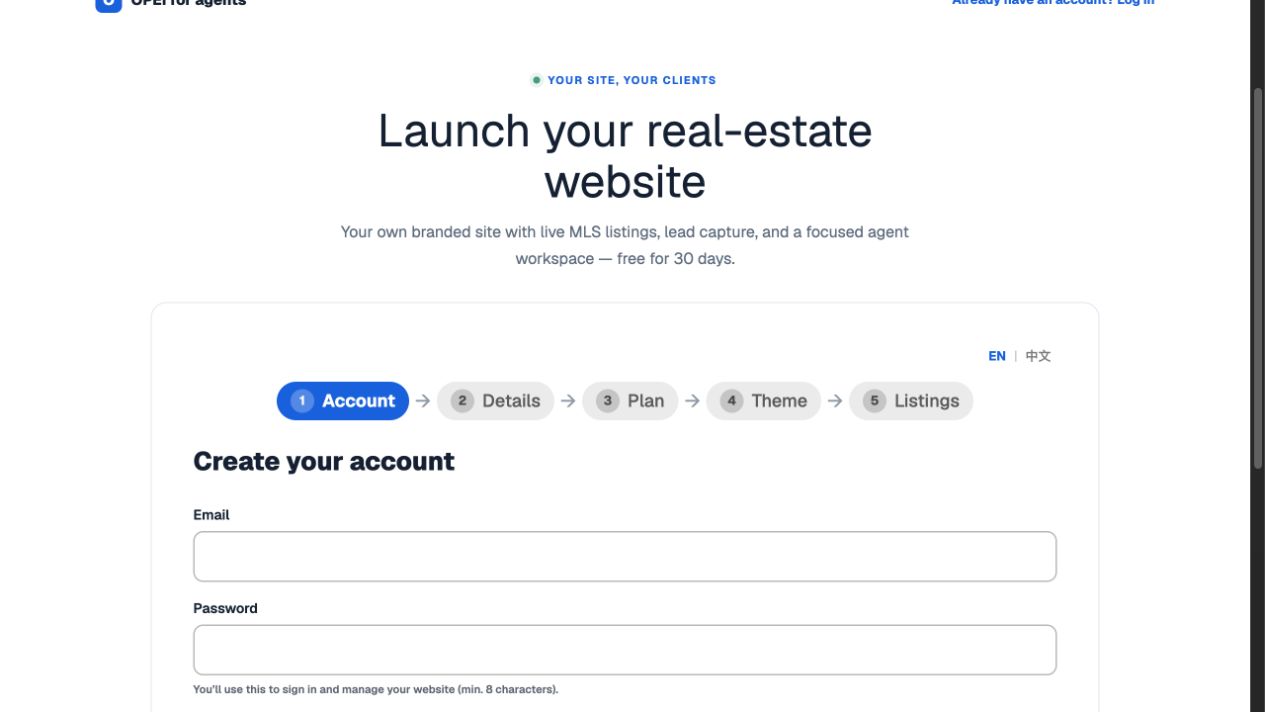 3 · Email and password4 · Google option5 · Continue
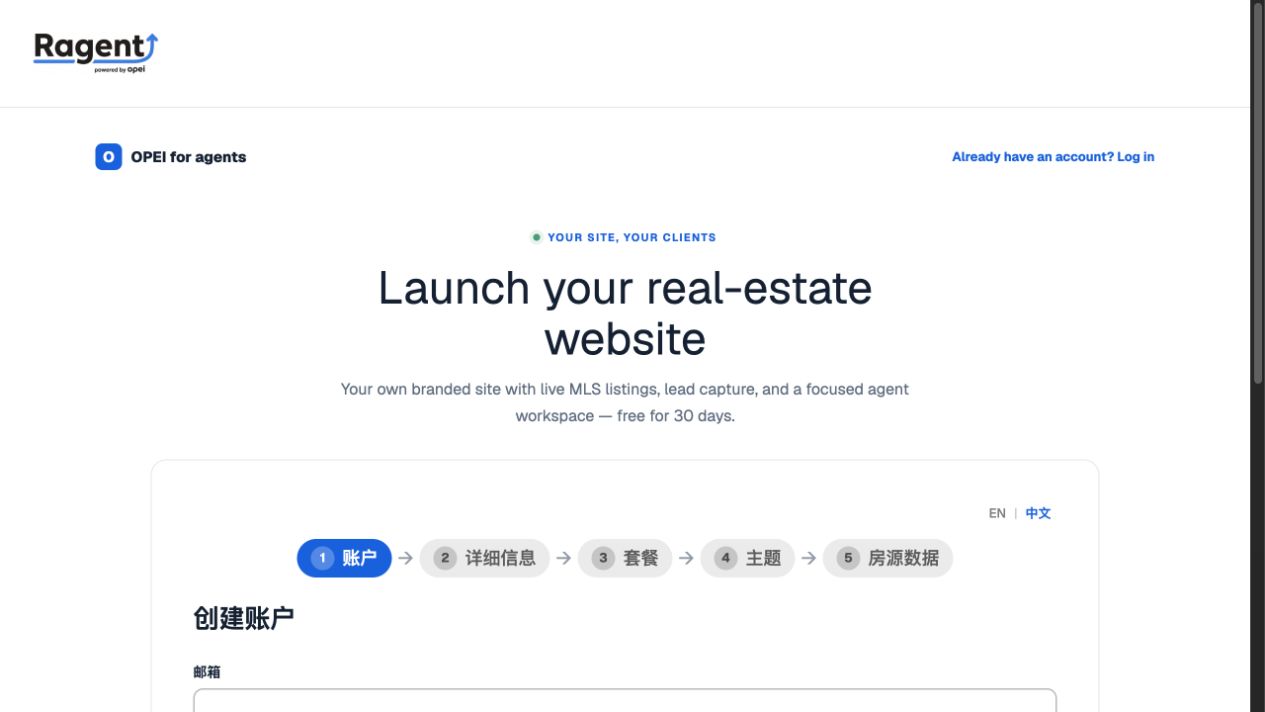 Switch language hereFive signup stages
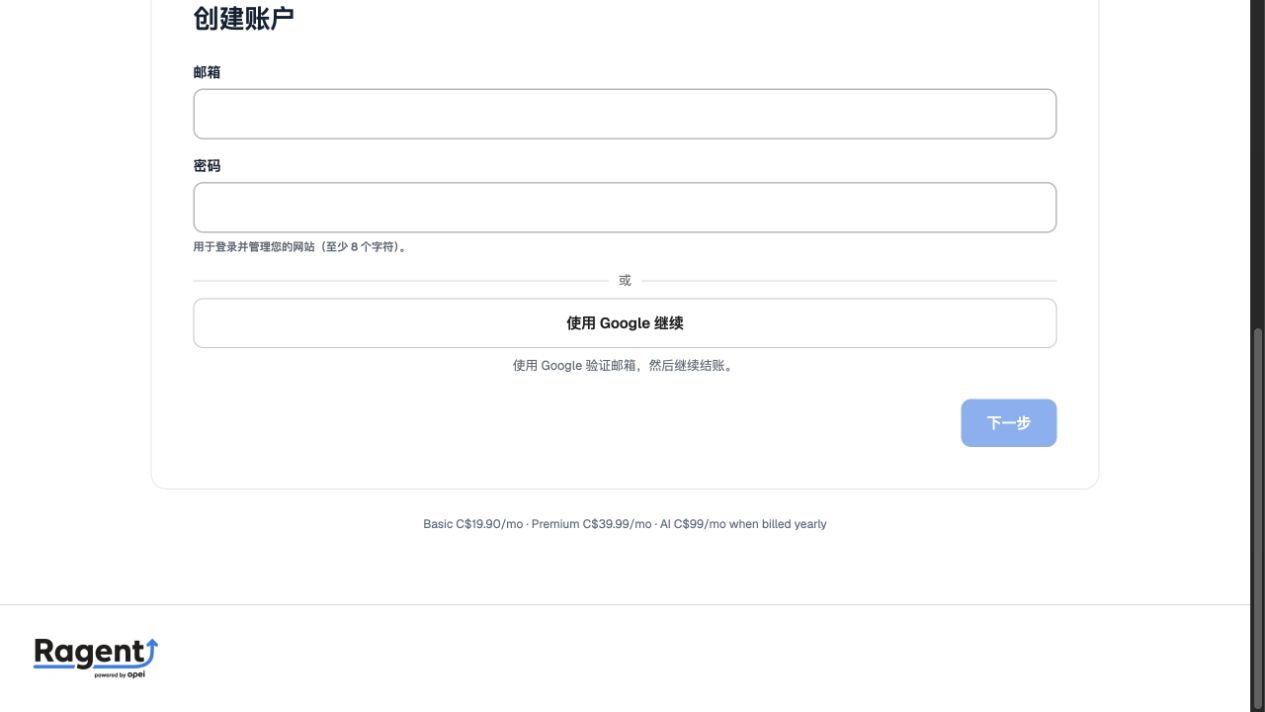 Email and passwordGoogle signup