
Publish news in English and Mandarin
Write both language versions, add an image, preview, and publish when ready.
Step-by-step instructions
- 01
Sign in to the dashboard
Go to https://dashboard.opei.com/admin/login and sign in with your Opei account. After login, open Content → News to start a new article.
- 02
Open News
In the dashboard, open Content → News and choose Create New. An empty draft may be saved automatically; it is not public until you publish.
- 03
Write the English version
Select the English tab inside the editor. Enter the English title and article body. Use the Content, Meta and SEO tabs for the relevant English fields.
- 04
Write the Mandarin version
Select 中文 inside the editor and enter the Chinese title and article body. This article-language switch differs from the admin interface language switch at the top right.
- 05
Add a hero image and review the slug
Use Hero Image → Create New or Choose from existing. Enter descriptive alt text in Media. The slug is generated from the title; review it in the right sidebar before publishing.
- 06
Preview both languages
Use the preview control near Publish changes and check the English and Chinese pages, including layout, image and links. Return to the draft to fix anything that looks wrong.
- 07
Publish changes
Select Publish changes only after both versions are ready. Reopen the live article in each language to confirm the result.
Screenshots and callouts
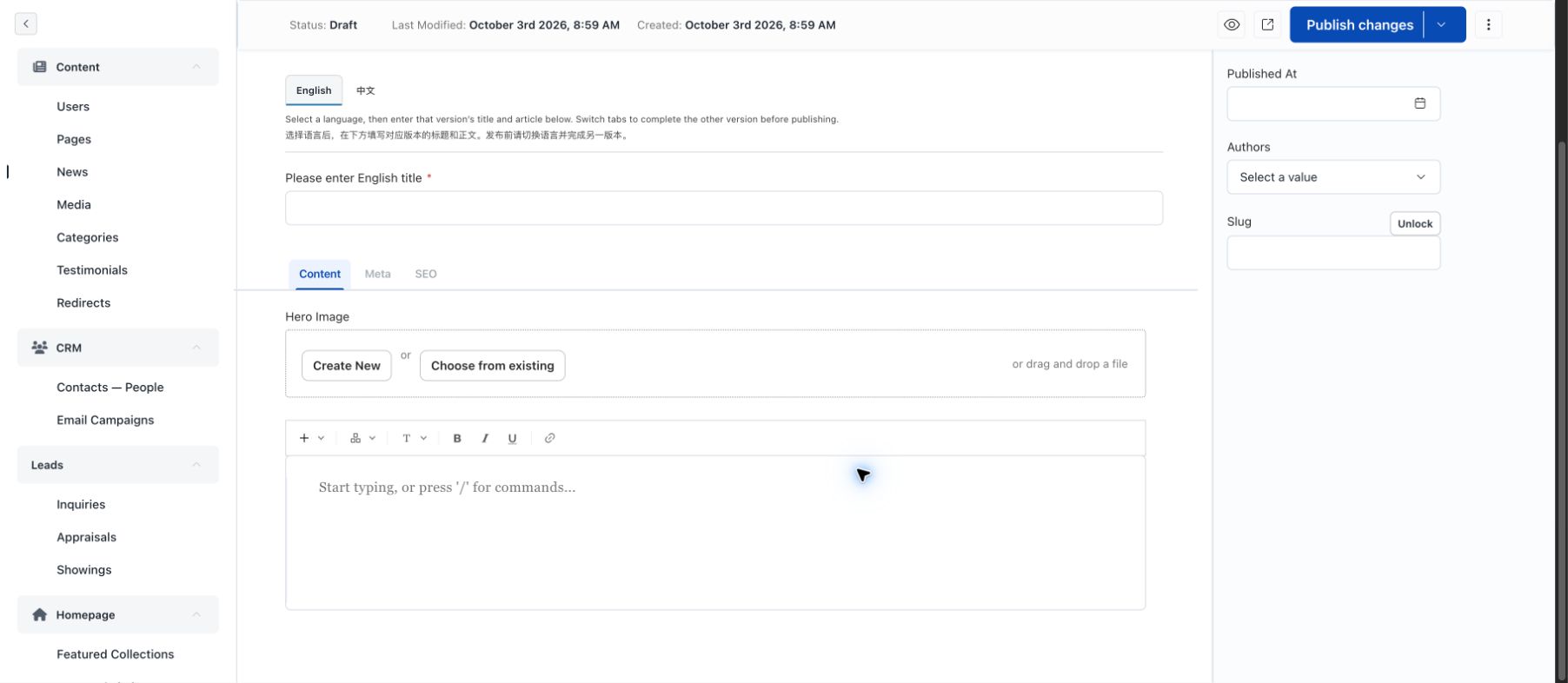 1 · Article language tabs2 · Enter this title3 · Add a hero image4 · Publish only when ready
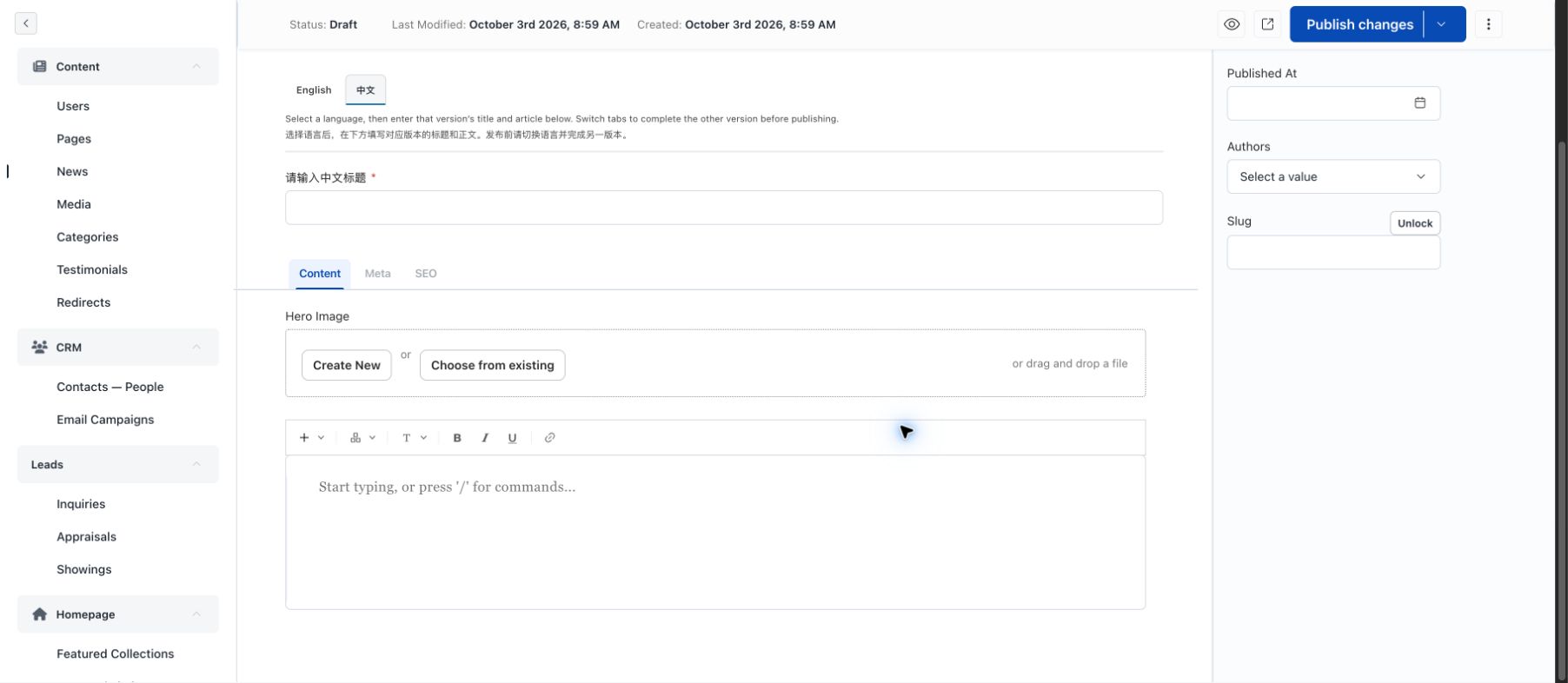 Chinese versionChinese titleSlug lives in sidebar